Introduction
Most AI-generated landing pages look fine and feel forgettable. They’re clean, they’re usable, and nobody remembers them five seconds after scrolling past. So I ran an experiment: could I build an award-winning website with Claude, the kind with a 3D product that rotates as you scroll and animated sections that make you want to keep going?
The test project was a landing page for a made-up foldable phone called iPhone Duo. Claude Opus 5.5 built the whole thing with Three.js and GSAP in less than 15 minutes.

The finished iPhone Duo concept page built by Claude Opus 5.5, with the 3D phone opening as you scroll.
Here’s exactly how the workflow goes, what each piece of the animation stack does, the prompts I used, and how you can repeat the process on your own projects. If you’d rather watch, here’s the full video. All the prompts, including the full master prompt, are in the free blueprint.
Quick note: this is a concept page made for a tutorial. Claude got Apple’s product images and video as reference assets and built its own original layout. It’s not a copy of apple.com, and it’s not affiliated with or endorsed by Apple. For any public page, use your own assets.
Where most people start: the one-line prompt
Let’s begin with the baseline, because it shows why the rest matters.
I gave Claude Sonnet 5.5 the same assets I’d use later: Apple’s product images and a few videos from the official website. Then I asked for a landing page with one line:
Make a landing page for the iPhone Duo, use attached files.

Same assets, one line: the prompt given to Sonnet 5.5, with the images and videos attached.
That’s how most people prompt AI tools, and honestly, the result is decent. It looked clean and very Apple-like. You could ship it as a small project.

Sonnet 5.5’s result: clean and Apple-like, but static.
But it was static. No motion, no depth, nothing that makes a visitor stop and keep scrolling. For a real product launch, that’s not enough. Clients want the “wow” moment, and a flat page can’t deliver it.
That gap between “usable” and “memorable” is where the work is.
One honest caveat: between the two builds I changed both the model (Sonnet → Opus) and the prompt (one line → a full brief). So this isn’t a clean model test. The one-line prompt is a big part of why the first page came out basic, and the brief is what this guide is about.
The animation stack in plain English
Before building anything better, it helps to understand four names you’ll hear in every AI website video: WebGL, Three.js, GSAP and Remotion. They sound like the same thing. They’re not.

Four tools, four jobs: WebGL, Three.js, GSAP and Remotion.
WebGL is the engine. It’s the graphics engine built into your browser, and it’s why real-time 3D on a website is possible at all. It’s very low level: writing it by hand means raw graphics code and shaders. You’d only touch it for something truly custom, like a liquid or particle background, or a game.
Three.js is the 3D on the page.** It sits on top of WebGL and does the hard part for you. You say “here’s a 3D model, here’s a light, here’s a camera,” and it renders it. In this build, it’s the phone.
GSAP handles motion and scroll.** Text reveals, cards sliding up, timing. Its ScrollTrigger plugin ties any animation to your scroll: scroll down and it plays, scroll back up and it rewinds.
Remotion is for video outputs.** It makes MP4s with React code, like a product promo or a social clip. You don’t need it for this kind of page. (I tested Remotion and Three.js together in this Claude Opus motion post if you’re curious.)
Two GSAP words you’ll see in prompts:
Pin: a section stays fixed on screen while you keep scrolling. The phone stays put while it turns.
Scrub: the animation follows your scroll position exactly, instead of playing once.
GSAP can also animate a Three.js scene. So Three.js draws the phone, and GSAP turns it as you scroll. That combo is the whole page.

Three.js draws the phone, GSAP turns it on scroll. That’s the whole stack.
Tool — What it’s for — Used in this build?
WebGL — The browser’s graphics engine — Only under the hood
Three.js — Real 3D on a web page — Yes: the 3D phone
GSAP + ScrollTrigger — Motion and scroll-driven animation — Yes: the scroll timeline
Remotion — Videos made with code (MP4) — No
Here’s the good news for designers and freelancers. For a high-end product page, you don’t need to write raw WebGL, and you don’t need to hire an expensive WebGL developer. Three.js plus GSAP is the whole stack. Claude Opus 5.5 can write both, as long as you give it a proper brief.
The real secret: a master prompt
“Proper brief” is doing a lot of work in that sentence, so let me be specific.
Instead of asking for a landing page, I asked Claude to help me write a master prompt first. That’s a detailed document describing what I want at the end: the concept, how the phone should move, the timing, every section, the typography, the visual effects, the UX direction, and where each image and video goes.
Step 1: Gather your assets
Put everything Claude should use in one folder: product images, a product video, your logo. If you only have a reference website, not files, my screenshot to code with Claude post covers how far a screenshot gets you (and where it breaks).
Step 2: Brain-dump the brief out loud
Writing a master prompt by hand is slow, and I noticed that I give far less detail when I type. Speaking pulls out more of what’s in my head: the timing, the feel of each section, the half-formed ideas. So I didn’t type this brief. I said it out loud with a voice dictation app and let Claude do the structuring.
Here’s the prompt I dictated. What you see in the video was spoken live, so small details may differ:
I need you to create a prompt for building an animated landing page for the iPhone Duo. On this landing page, I want the iPhone to open and rotate on scroll, dynamically showing all the features. It is very important to use Three.js animation for this, and it needs to be dynamic on scroll. Please pull in all the information you can find online about the iPhone Duo to create this prompt. I will send you the pictures and videos that need to be referenced in the prompt and included on the final website. For now, I just need the prompt for creating this landing page. - What it is: launch page for the iPhone Duo, Apple’s first foldable. Apple-style: calm, premium, lots of space, big type. Original layout, don’t copy apple.com - Assets: use the attached images and videos. - Hero: a 3D phone in Three.js, rotates as you scroll, starts closed, opens as you go, soft studio light, dark background, deep navy - GSAP with ScrollTrigger for every section: pin the hero while the phone turns, scrub so it follows the scroll - Sections: display, chip, design, camera, battery, price from + order button - Type and feel: big headlines, short copy, smooth easing, nothing bouncy - Mobile: works on a phone, lighter 3D if needed
To swap in your own product, keep the structure and change the details: what it is, the assets, what the hero does, which sections, the feel, and mobile.
If you want better visual references for the “feel” part, pulling real app and site patterns helps a lot. I use Mobbin MCP with Claude for that.
Step 3: Read the master prompt before you run it
Claude turns your brief into a long, structured build prompt. Mine was organized roughly like this:
Role and goal
Tech stack (Three.js, Vite, GSAP + ScrollTrigger)
The 3D model
Scroll choreography, chapter by chapter
Visual and UX direction
Sections beyond the 3D story
Media slots for your images and video
A fact sheet Claude can’t go beyond
Performance, responsiveness, accessibility
Deliverables, process and acceptance criteria

The master prompt Claude generated, ready to download.
Read it before you run it. This is where you catch wrong facts, sections you don’t want, or a tech choice you didn’t ask for. The full master prompt is in the blueprint.
Step 4: Build it in Claude Code with Opus 5.5
Once I had it, I downloaded the file, opened a new session in Claude Code with my project folder connected, and picked Opus 5.5 with high model effort. Then I pasted in all the assets and the master prompt and told Claude to implement it.

Claude Code with Opus 5.5 on high effort, the assets and the master prompt file attached.
To be clear, I didn’t ask Claude to copy Apple’s website. It got the assets and built its own original page in that clean Apple style. New to Claude Code for design work? My Claude Code design skill post walks through the setup.
That’s the whole pipeline: brief first, build second. The quality of the page is mostly decided before any code is written.
What Claude Opus 5.5 built from one prompt
Then came the moment of truth. From that single master prompt, Claude produced a Vite project using Three.js and GSAP, as specified. And it was far beyond the static page from before. Honestly, I was blown away. 🤯

The first build: the 3D phone turns as you scroll.
A 3D iPhone Duo that turns and opens as you scroll
Typography reveal animations on every section
A split-effect section with product details pulled from the official site
Sections showing how the phone can be used, standing or seated like a laptop
Camera sections for the front and back cameras, all driven by scroll
A color selector that changes the phone
A gallery with the images and videos I’d supplied, plus an FAQ and a pre-order section

Further down the first build: the cameras section is animated too.
It also looked good on mobile. Some images were placeholders at that stage, but the structure and motion were already there.
Polishing with small follow-up prompts
A first build is a starting point. In mine, the phone felt a bit stuck because it only rotated on scroll. So the next step was a handful of short, specific requests:
Drag-to-rotate. I asked for the phone to rotate with my cursor. Now you can spin it by hand, and when you scroll it animates back into the sequence.
A minimal navigation bar with a centered logo and anchor links to each section.
Real images instead of placeholders, using UI screenshots from apple.com. Fine for a private concept made for a tutorial, but don’t reuse Apple’s assets on a public page.
A better hero gradient. My first try ran up under the navbar, so I asked for it to sit lower and flow into the next screen.
A footer disclaimer stating that this isn’t an official Apple website and that it was made for a YouTube tutorial.
A loader effect, because nearly every award-style site has one.

Drag-to-rotate: the phone now turns under the cursor as well as on scroll.

After the polish pass: a navbar with section anchors and the new hero gradient.
The exact refinement prompts weren’t shown word for word in the video, so here’s the kind of wording that works. It’s an example, not my exact prompt:
Right now the phone only rotates on scroll and feels stuck. Keep the scroll rotation, and also let me rotate the phone by dragging it with the mouse. On release, ease it back into the scroll animation.
Notice how small these are. Each one is a sentence or two. The big decisions were already in the master prompt, so the fixes stay light. My rule: one change per prompt, and say what you see, what you want instead, and what to keep.
How to build an award-winning website with Claude: a checklist
Here’s the process distilled so you can reuse it:
Run a baseline. Prompt a simple version first so you know what “static and fine” looks like.
Choose your stack, and name it in the prompt. For 3D product pages, use Three.js for the 3D and GSAP with ScrollTrigger for scroll motion. Don’t leave the tech choice to the model.
Gather your assets. Images, videos and copy references, all in one folder. Without them, you get placeholder boxes where your product should be.
Brain-dump your vision out loud. Describe how things should move, in what order, and how long it should take. Use scroll terms (what’s pinned, what scrubs, what happens in each section), because “animated” alone is too vague.
Ask Claude to turn it into a master prompt. Cover concept, typography, visual effects, UX and media slots. Then read it before you run it.
Build in Claude Code with Opus 5.5. Use a new session, connect your folder, and set high model effort.
Iterate in small steps. Navigation, imagery, gradients, loaders, disclaimers. One request at a time.
Check mobile. Scroll-driven 3D can break on small screens. Ask for a lighter 3D version on phones in the brief, and test it before you call it done.
Try it yourself
Grab the free blueprint with every prompt, including the full master prompt: BLUEPRINT
Swap the iPhone Duo for your own product and assets.
Run the two-step flow (brief → master prompt → build) in Claude Code with Opus 5.5 on high effort.
Want help with your own project? I do 1:1 sessions on Learn, and my free templates and tools are on Resources.
Final thoughts

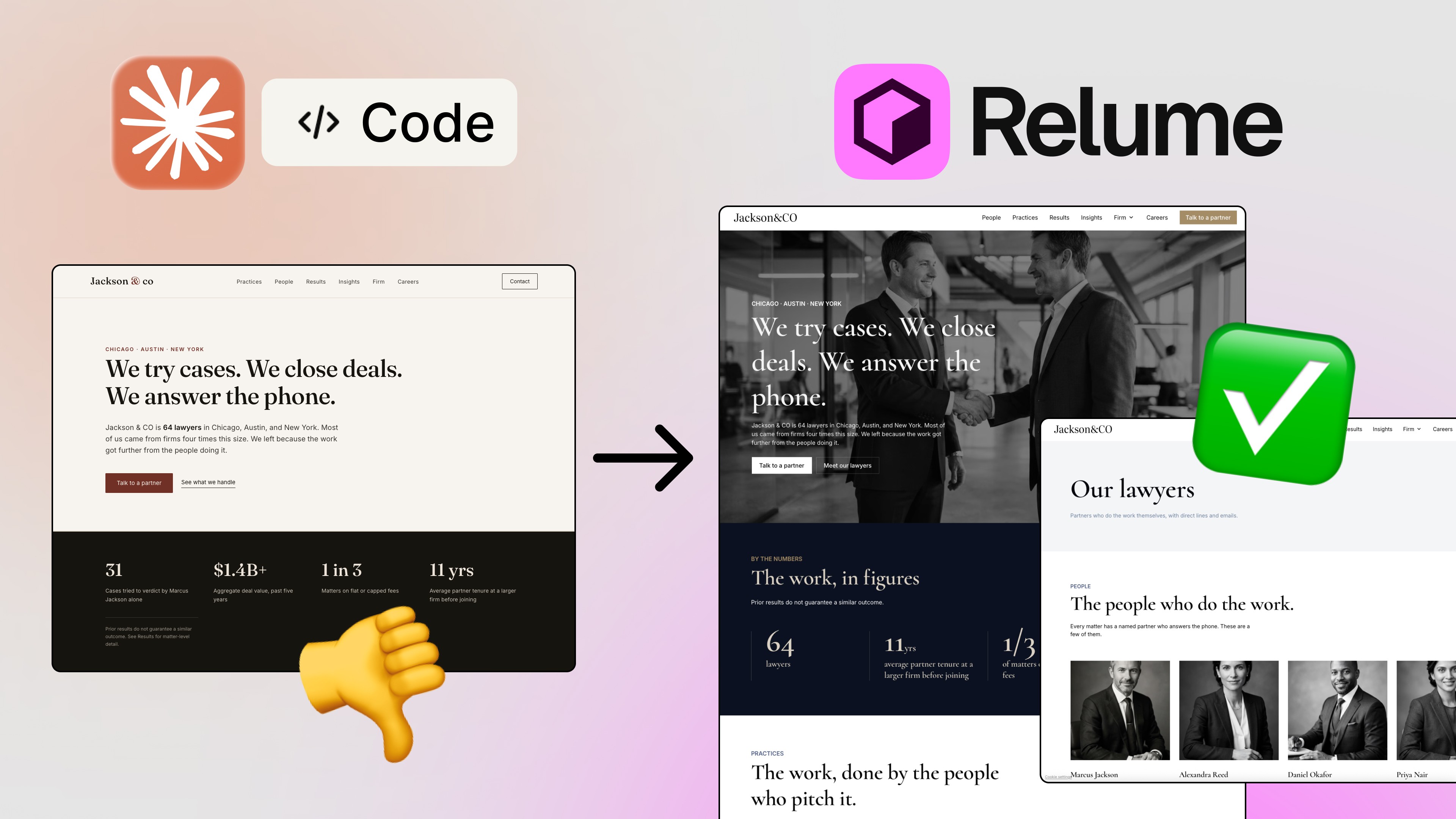
Before and after: Sonnet 5.5 from one line vs. Opus 5.5 from the master prompt (two frames from the video, side by side).
The biggest lesson from this experiment isn’t about a phone. It’s that an award-winning website with Claude comes from the brief, not the model alone. A one-line prompt got a plain page. A detailed master prompt and the right stack got a 3D, scroll-driven experience.
Whether this particular page would win an award is for juries to decide. But it’s a very different class of result from what most people get, and it took minutes. If you take one thing from this: when AI gives you something “fine”, write a better brief before you blame the model. 😎
If you’d like to see every step live, watch the full video: https://www.youtube.com/watch?v=Gg5nA8PpF6w. And if you want more practical tutorials on AI design and web coding, subscribe to my newsletter. I share what I’m testing every week, straight from my own workflow.
FAQs
Can Claude build an award-winning website?
What do you need to build a 3D scroll animation website with Claude?
What is a master prompt?
Do I need to know WebGL to use Three.js?
Why did Sonnet 5.5 give me a static page?
See more from me in Google Search
Add sergeichyrkov.com as a preferred source to get my tutorials and articles highlighted in Top Stories and AI Overviews.