Introduction
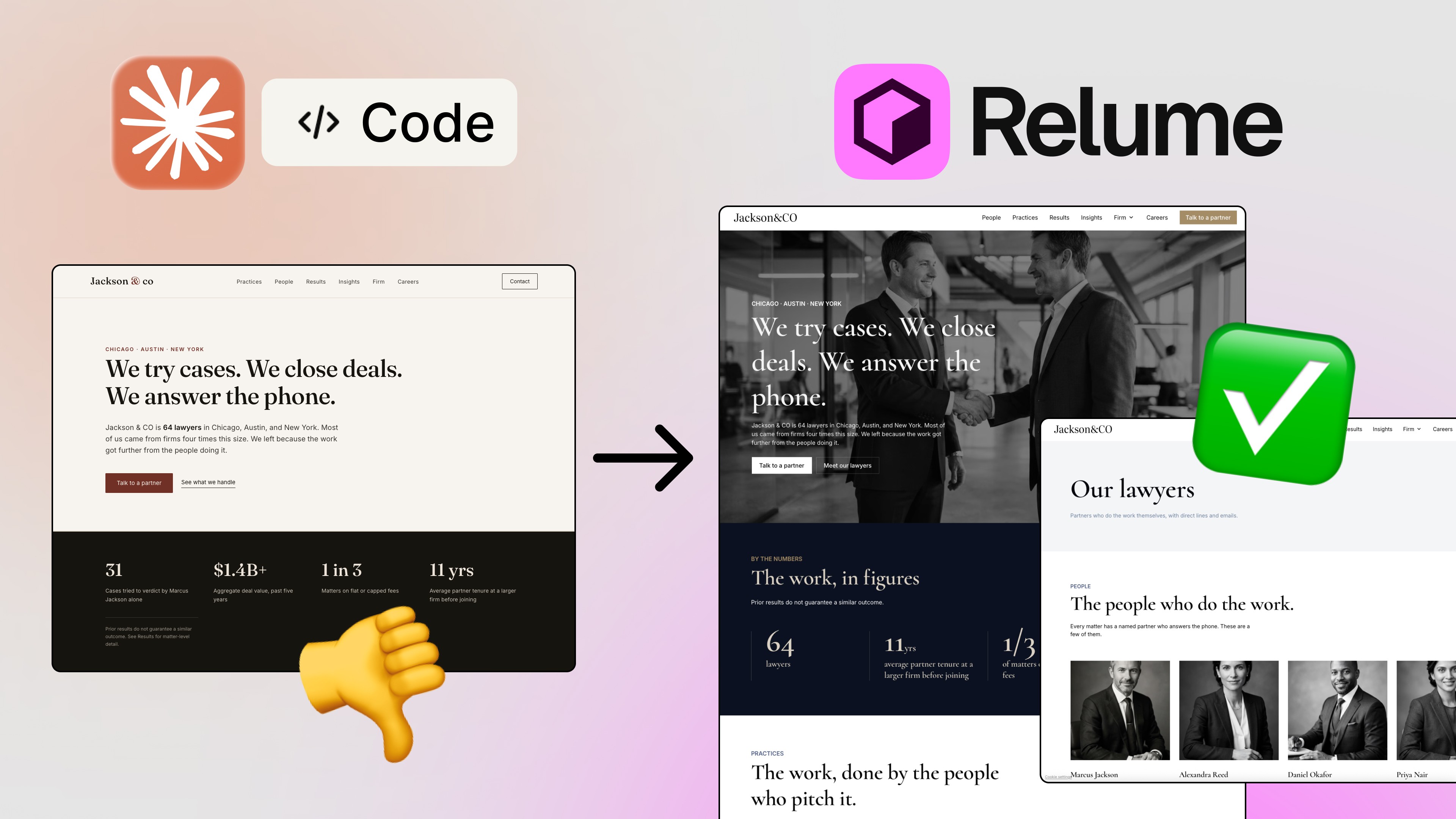
Let’s be honest: the fastest way to spot an AI-generated website is to look for the purple-pink gradient, the emojis pretending to be icons, and a perfectly centered layout that looks like every other landing page on the internet. 😅
I see this constantly. And the funny thing is, it’s usually not the AI’s fault. We ask it to invent every design decision from scratch, with zero references, and then we’re surprised when it falls back on the most average thing it knows.
That’s why I’ve been using Mobbin MCP to connect Claude and Cursor directly to a library of real apps and websites. In this article I’ll walk you through three workflows I actually use: researching a product before you build it, rescuing a generic-looking website, and finding a style for animated designs. By the end, you’ll know how to give your AI agent better references instead of just more freedom.
If you read my earlier experiment, What Happens When You Give AI Real Design References, think of this one as the practical follow-up: the setup and the workflows I use day to day.
What Is Mobbin, and Why Does It Beat Pinterest for Design Inspiration?
If you haven’t used it, Mobbin is a huge library of real app and website designs. Not concepts. Not fantasy layouts that look amazing in a shot and fall apart in real life. Real, working products.
That difference matters more than it sounds. Pinterest and Dribbble are full of abstract layouts that nobody ever had to ship. On Mobbin, every example is a product that real people use, which means the patterns inside it have survived contact with actual users.

Mobbin’s library of real app and website designs
Here’s what you can do inside the library:
Browse by category, like business, finance, technology, or social. Building a portfolio? Open the portfolio category and look through curated examples. Some of them are seriously custom and don’t feel like slop at all.

Browsing the portfolio category on Mobbin
Look at individual sections, not just full pages. Need a newsletter block, a pricing section, or a footer? You can find examples of that specific section and use it as inspiration or hand it to your agent.

Mobbin Sections: real newsletter section examples
Explore iOS apps screen by screen. Take the Tripadvisor app: instead of downloading it and screenshotting everything, you can see all of its screens and flows in one place.
Search for a specific flow or screen, like delete/deactivate account or checkout.

TripAdvisor screens and flows on Mobbin
That’s already a great research tool for humans. But it gets way more interesting when your AI agent can use it too.
How to Connect Mobbin MCP to Claude and Cursor
MCP stands for Model Context Protocol. In plain English, it’s what lets your AI agent use external apps and tools to get work done. Connecting Mobbin to your agent means Claude can search the library itself, instead of you screenshotting and pasting references one by one.
The setup takes about a minute:
1. In [Mobbin](http://mobbin.com/chyrkov): go to your profile, open the MCP section, and pick your agent. There are instructions for Claude, Cursor, Codex, ChatGPT, and others.

The MCP page in Mobbin, with the supported agents
2. In Claude: click the plus icon, open connectors, then manage connectors. Search for Mobbin, find the connector, and click authorize or install. You’ll authorize it with your Mobbin account.

Connecting Mobbin in Claude’s connectors
3. In Cursor: open customize, go to the marketplace (or search for Mobbin at the top right), install the plugin, and authorize it with your account.

Installing the Mobbin plugin in Cursor
That’s it. In Claude, you can confirm it worked by checking your connections and seeing Mobbin switched on. The first time Claude uses the connector in a chat, it asks for permission. Just click Allow.
Workflow 1: Research Screens and Flows Before You Build
This is the one I’d recommend starting with, especially when you have an idea for an app or website but aren’t sure how to structure it.
For my test, I imagined a crypto wallet app called Coinlio. My prompt was simple: use Mobbin MCP to analyze the topic and give me best practices and recommendations on screens and flows.

The Coinlio research prompt in Claude with Mobbin on
Claude went through Mobbin’s library, pulled real examples, and came back with a structured recommendation: which screens an MVP needs (onboarding and security, core tabs like home, activity, swap, discover, and market), which transaction flows matter, and best practices drawn from real apps.

Claude pulling Mobbin references into the chat
The key point is that the output wasn’t generic advice. Claude pointed to actual apps and how they solved each screen and flow. So instead of guessing what a crypto wallet “should” have, you get a suggested MVP and a list of decisions you still need to make, grounded in real products. From there, you can move on to designing with a much clearer map.

The research result: screens, flows and an MVP plan
This research step fits right at the start of my full process, which I broke down in How I Build a SaaS Product with AI.
Workflow 2: Fix a Generic AI Website With Real References
This is probably the most common case, and honestly the most satisfying one.
Step 1: Build the “before.” I asked Claude to build a website for a SaaS that does social media marketing with AI: home, about, pricing, and login pages in HTML and CSS. No references, no style direction, and Mobbin wasn’t connected. I used Sonnet 5.5 with medium output.
The result was textbook AI slop: purple-pink gradients, emojis in place of icons, centered layouts. Exactly everything we don’t want, but get most of the time.

V1: the generic AI-looking homepage
Step 2: Connect Mobbin and ask for research, not copying. I switched Mobbin on and asked Claude to research SaaS website best practices, look for a fun, colorful style (because this is a social media product, and I wanted it playful), give me a detailed report with exact examples of real products, make an implementation plan, and then build a version two so I could compare both side by side.

Mobbin connector on, research prompt sent
One thing I want to be really clear about: we’re using Mobbin as inspiration, not as something to clone. Don’t copy someone else’s work. The goal is to learn what works and create your own unique UI.
Step 3: Compare. The research pointed to specific companies for specific decisions. For example, ClickUp puts the email field right under a short headline in the hero, and for the visual direction it drew on playful, colorful references like Duolingo, Headspace, Mural, Discord, and Figma. Then it built the new version.

The design research report built from Mobbin references
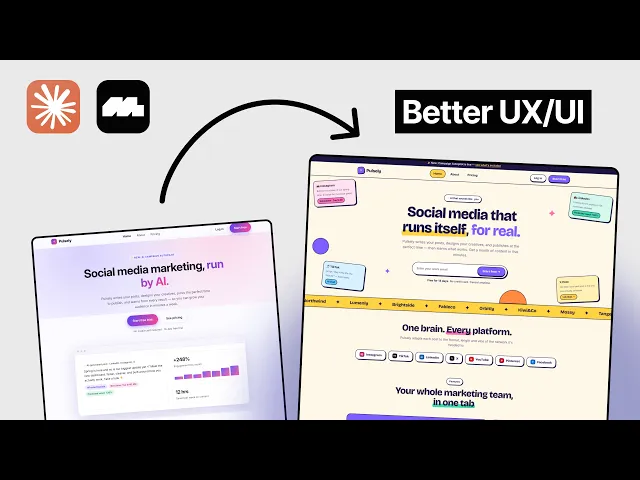
The difference was drastic:
The hero now has an email field, so people can sign up right away instead of hunting for a login. A small UX change, but a big one for conversion. The “free 14 days, no credit card required” message got proper emphasis too.

V1 vs V2 side by side
New sections appeared that the first version didn’t have at all, like a row showing which social platforms the product works with.
Features went from an identical grid to colorful, interactive cards that are far more interesting to move through.
Social proof went from plain text to testimonials that actually show results.

V2 feature cards and sections
Pricing got a monthly/yearly toggle that works properly and shows “two months free” instead of a percentage, a trial and money-back guarantee, the popular plan in the center, and a nicely designed FAQ.
Login gained Google, Facebook, and LinkedIn options, plus a magic link by email.

V2 pricing section

V2 login screen
Was it perfect? No. I noticed some spacing I’d want to fix. But the structure was thought through, based on real cases from real companies, and the visual style was playful instead of generic. That’s the gap between “AI invented it” and “AI researched it.” 🚀
Workflow 3: Find a Style for Animated Designs and Presentations
The third workflow surprised even me. Claude recently got the ability to create animated designs using Remotion or Three.js, and I’ve been using it to build a presentation for the first lesson of my web design course. This presentation was built with Remotion.
I hadn’t given Claude any design references, and the result was fun and colorful, but it wasn’t my style. It felt a bit too cartoony and generic for what I wanted.

The original Remotion presentation
So I went to Mobbin and found an example I liked: Heron AI. It has a minimal, strong, almost Bauhaus-like feel, with straight lines, black and white, and subtle effects.
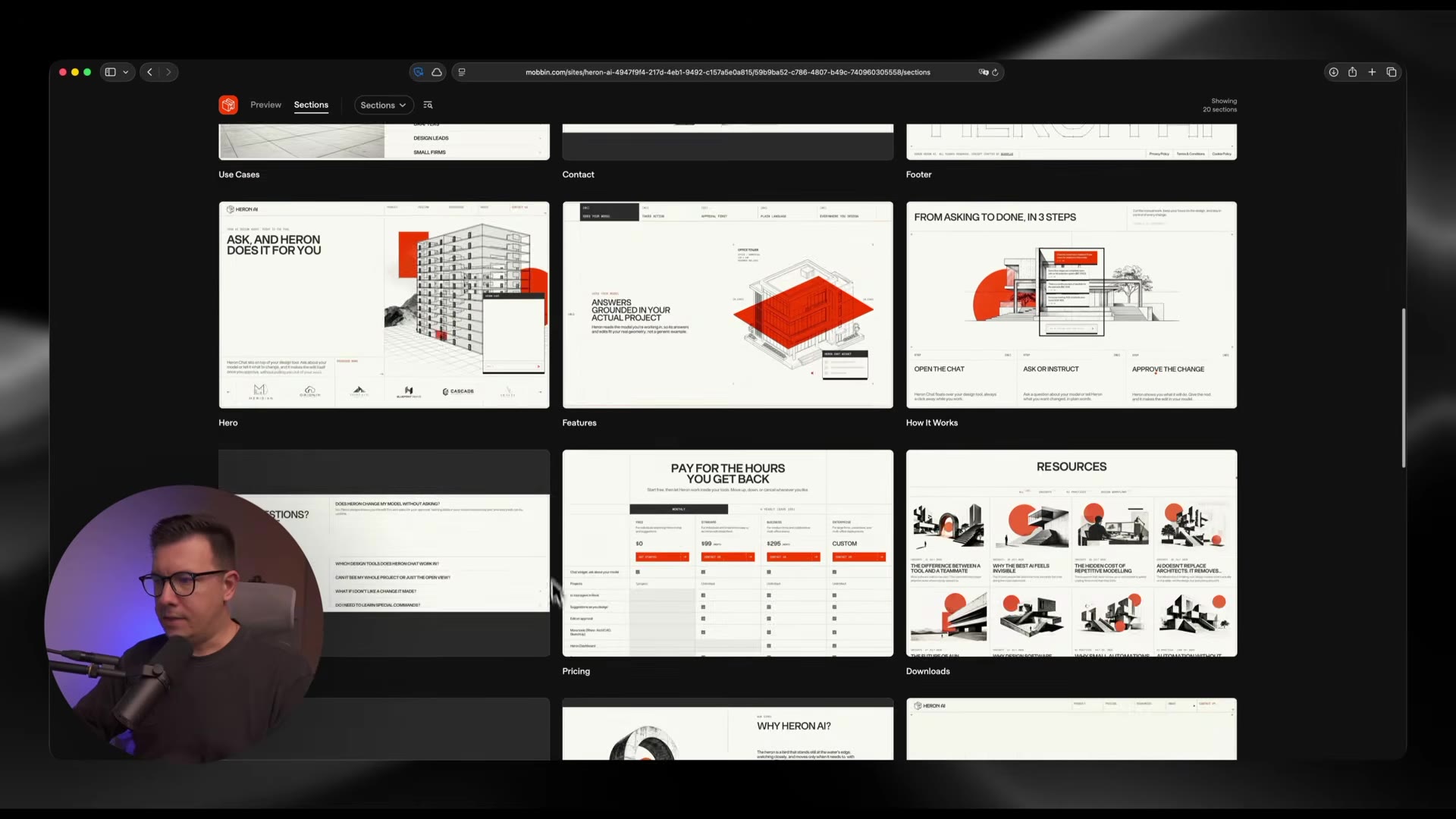
The Mobbin reference used for the restyle
I sent that reference to Claude and asked it to update the presentation to a similar style while keeping it unique. I used Opus 5.5 with high effort.
Claude analyzed the Mobbin example and rebuilt the whole UI: straight lines, borders, a cleaner layout, a much more minimal look, and all the animations and transitions kept intact. I’m sticking with the new version, because it feels much stronger. 😎

The restyled presentation: straight lines, borders, minimal
The takeaway: Mobbin isn’t only for websites and apps. It’s a style source for animated work too. If you’re into this side of Claude, I also wrote about the Claude Code design skill, which pairs nicely with references like these.
Actionable Tips: Getting the Most Out of Mobbin MCP
If you want to try this today, here’s the short version of what worked for me:
Ask for research first. Have Claude produce a report with real examples before it writes any code.
Demand real examples. Tell the agent to cite actual products so it doesn’t invent anything.
Describe the vibe. “Playful and colorful” or “minimal and strong” steers the research far better than leaving it open.
Ask for a version two. Keep the original so you can compare side by side and see what changed.
Use sections and screens. When you like one specific block, send just that to your agent.
Never clone. Take the pattern and the principle, then make it your own.
Polish afterwards. Expect to fix spacing and details yourself. That’s normal.
The Bigger Idea: Better References, Not More Freedom
Here’s the biggest takeaway for me: AI doesn’t always need more freedom. Sometimes it needs better references.
When you ask an agent to invent every design decision from scratch, you get the average of everything. When you give it access to real products, real screens, and real user flows, and let it adapt those patterns to your project, you’re not just generating UI faster. You’re giving AI a better foundation for designing it.
I tested this same idea on a full SaaS dashboard in my earlier experiment, What Happens When You Give AI Real Design References, if you want to see it pushed further.
That’s the real power of Mobbin MCP with Claude and Cursor, whether you’re building a new app, redesigning a website, or improving an existing product.
Try It Yourself
If you want to follow along, you can get 20% off [Mobbin’s](http://mobbin.com/chyrkov) Pro plan with my link: mobbin.com/chyrkov.
📌 Watch the full video tutorial: youtu.be/ut8VCFMH8lA
📌 Subscribe to my newsletter for more AI design workflows, vibe coding tips, and no-code tools: sergeichyrkov.com/newsletter
For more workflows like this, I keep practical breakdowns on Learn and the tools I actually use on Resources.
FAQs
What is Mobbin MCP?
How do I connect Mobbin to Claude?
Is Mobbin better than Pinterest for design inspiration?
How do I stop AI from making generic, sloppy website designs?
Can I use Mobbin for animations and presentations, too?
See more from me in Google Search
Add sergeichyrkov.com as a preferred source to get my tutorials and articles highlighted in Top Stories and AI Overviews.