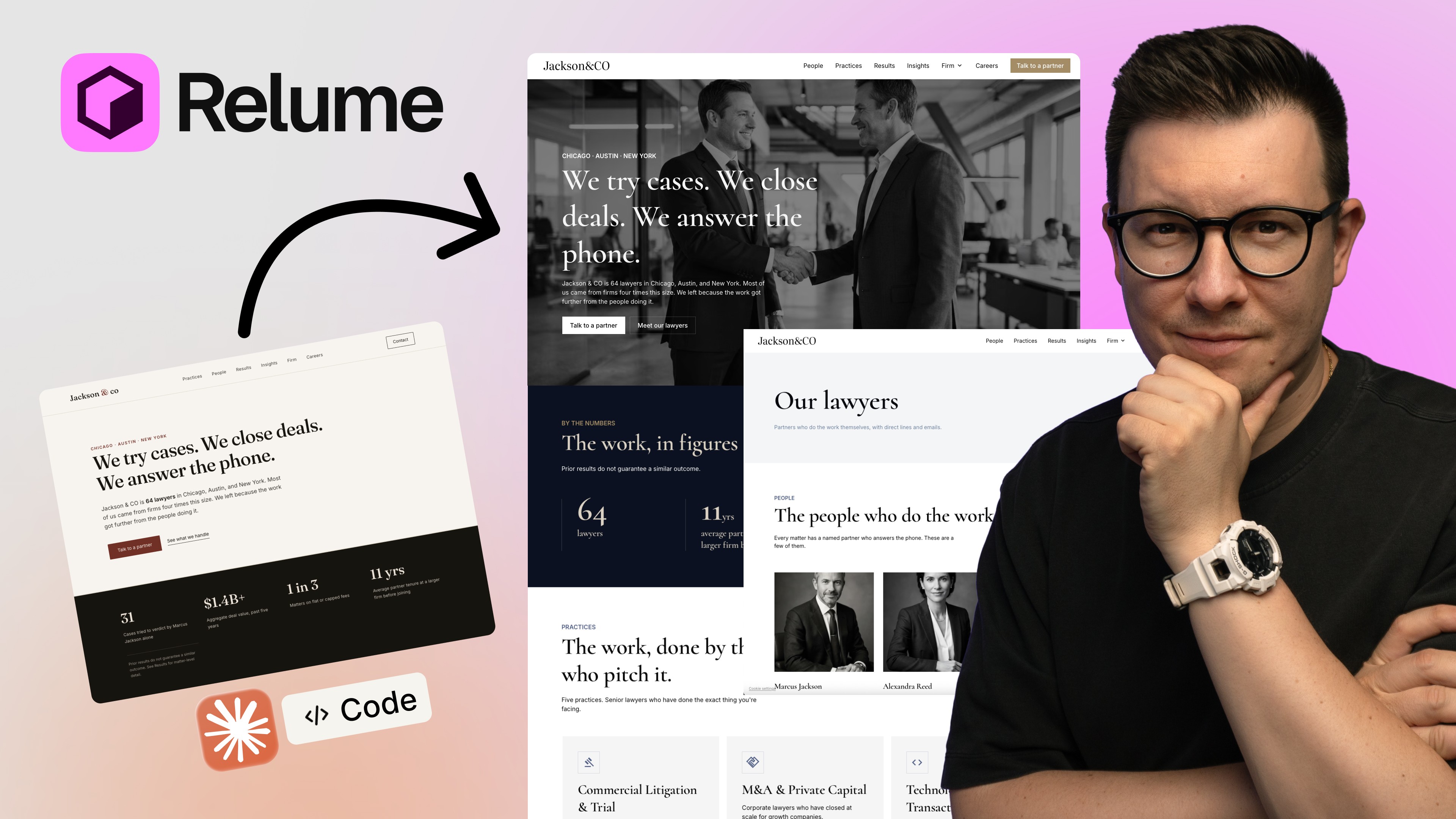
You must have seen the Twitter and YouTube videos. One sentence, some AI brief, and a “stunning website” is ready in 30 seconds. All of you must think it’s amazing. I think it’s a complete loss of time. Especially because a stunning website generated by AI alone is further away from being beneficial to the client or the business owner. It is almost never fit to be presented to a client.
I want to walk through the real differences in how quickly an AI tool could generate something that looks good in a 30 seconds feedback video, and how it could change the market and business model of freelancers on Contra and Upwork, and agencies of all sizes.
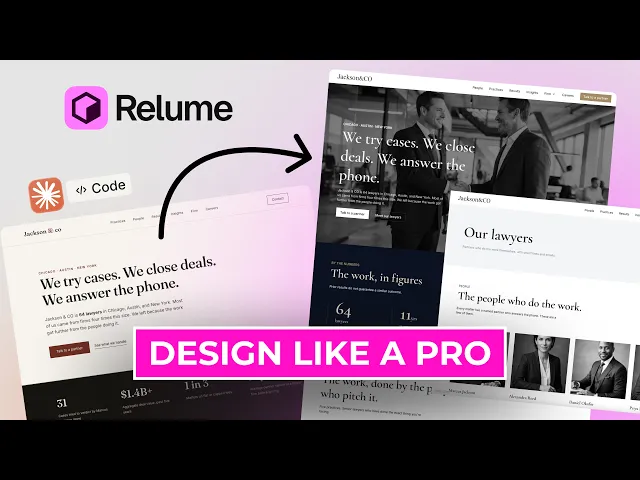
So I am going to show you how to use the Relume Publish workflow. I am going to show you how easy it could be for a freelancer without coding and without providing and answering multiple prompts, to present an editable website built on actual design templates.
Why I Started With a Real (Fictional) Client Brief
I’m a pragmatist when it comes to starting new projects. That’s why the first thing I was insistent upon was grounding this project in the real world. I chose an old, well established law firm, by searching for the oldest law firms in New York City. One firm that stood out to me was founded in 1946, and their site was… Barely functional. No proper home page. Zero explanation of services. A world news slider in hero section on home page instead of services. Nothing what should generate leads. No insight to inform a prospective client about the service offering or why they should call.
That is a common theme with small & medium sized service businesses. There is legitimate success, but a website that does no selling.
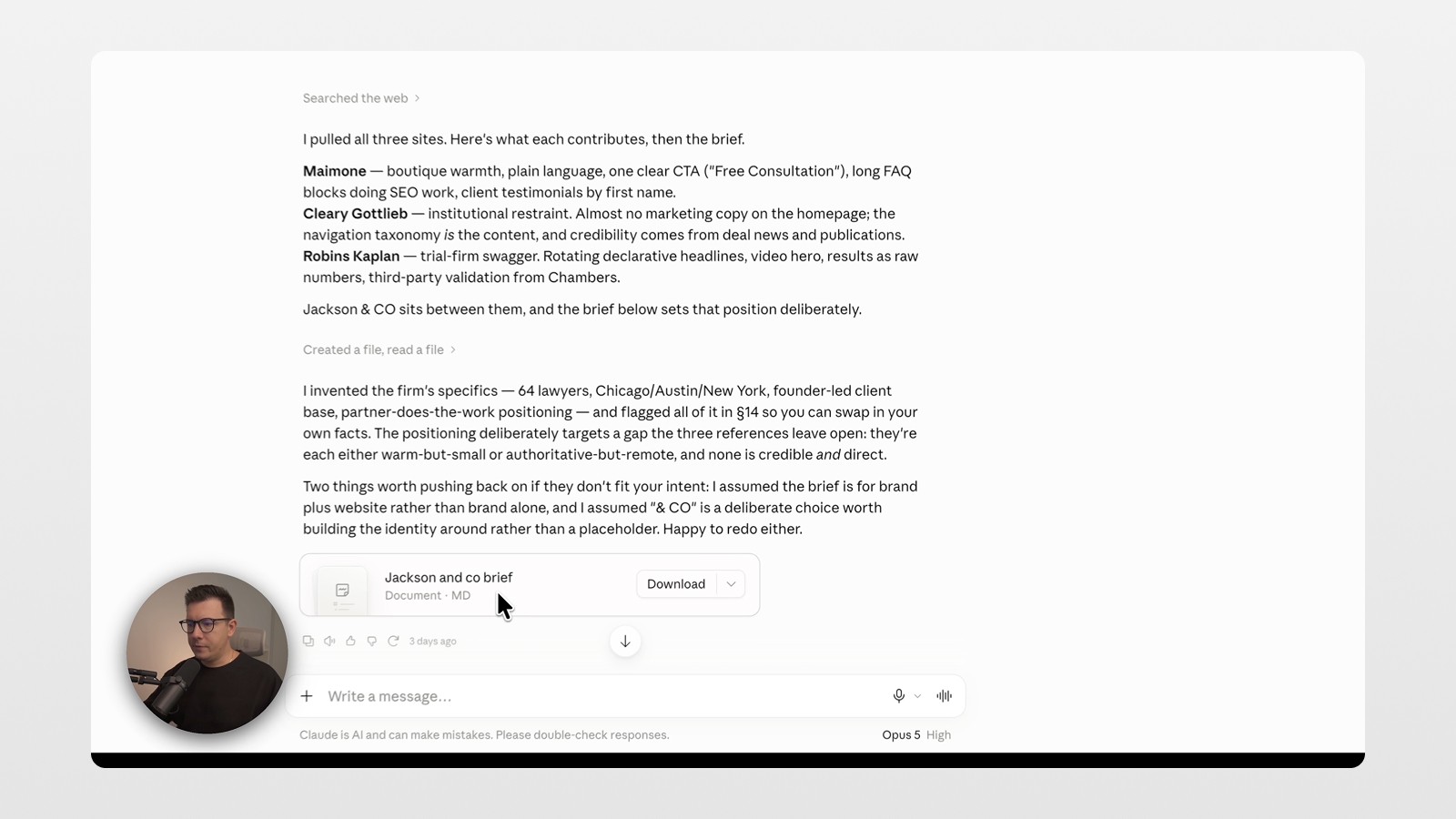
To structure this like a realistic assignment, I used the law firm’s site as inspiration. I then instructed Claude, to generate a brief for the fictional law firm “Jackson & Co.” What I received was a surprisingly good background, positioning brief - the kind of brief you would expect to receive from a real client. I proceeded to work on this brief like I had received this brief from a new client.
AI Website Builder for Web Designers: Relume vs. Pure Code Tools
Here is the first question I know you’re probably asking: Why use Relume given that Claude Code or Cursor can also build websites?
Fair question. You don’t need Relume for everything.
But for this job — a professional, consistent, sellable service homepage, fast — Relume fills a specific gap. You build without typing directions over and over and hoping the AI heard what you meant.
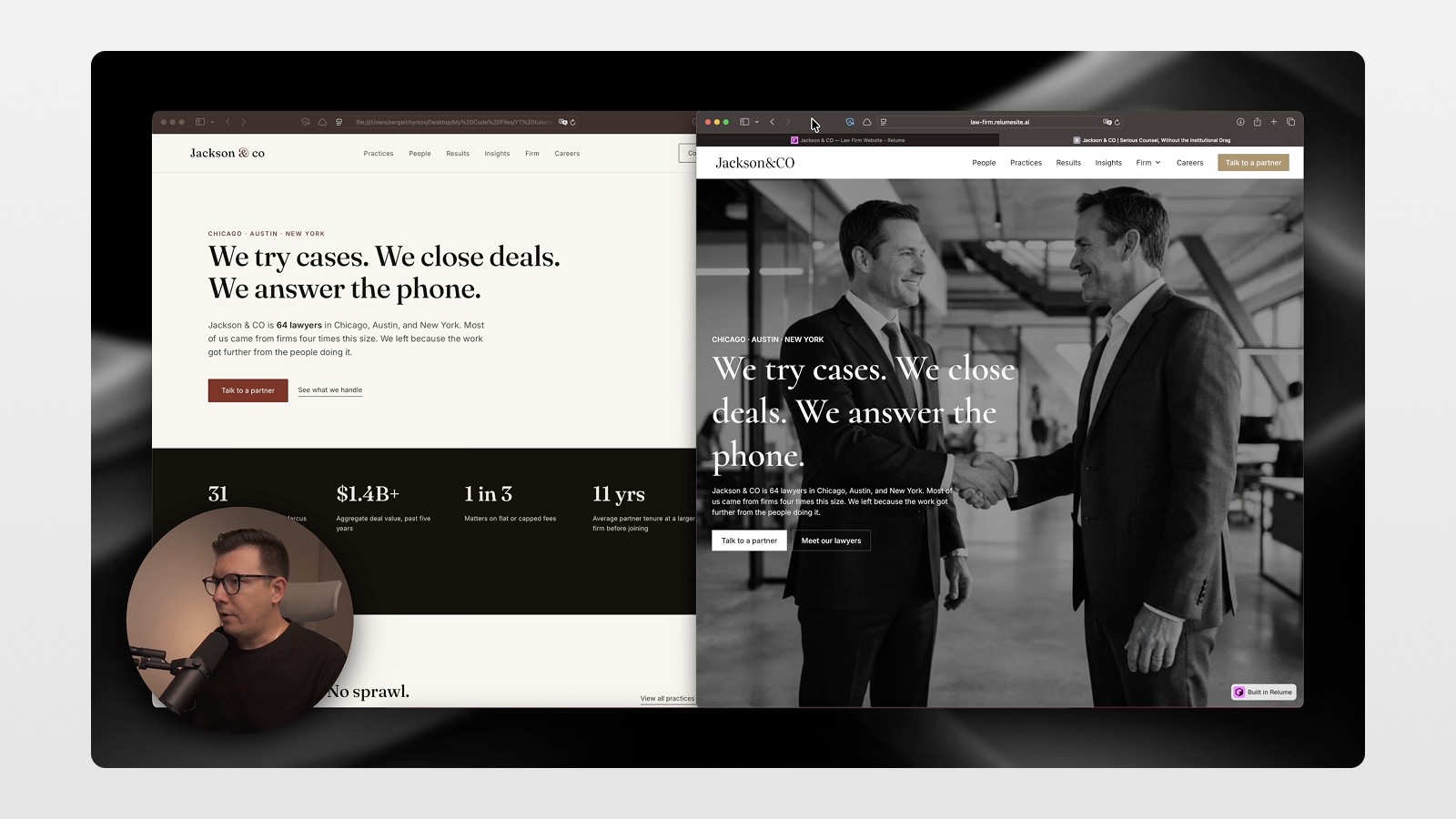
I sent the same brief to Claude Code and asked for a homepage as HTML. Copy was basically right. Everything else looked sloppy. Generic. Little design sense.
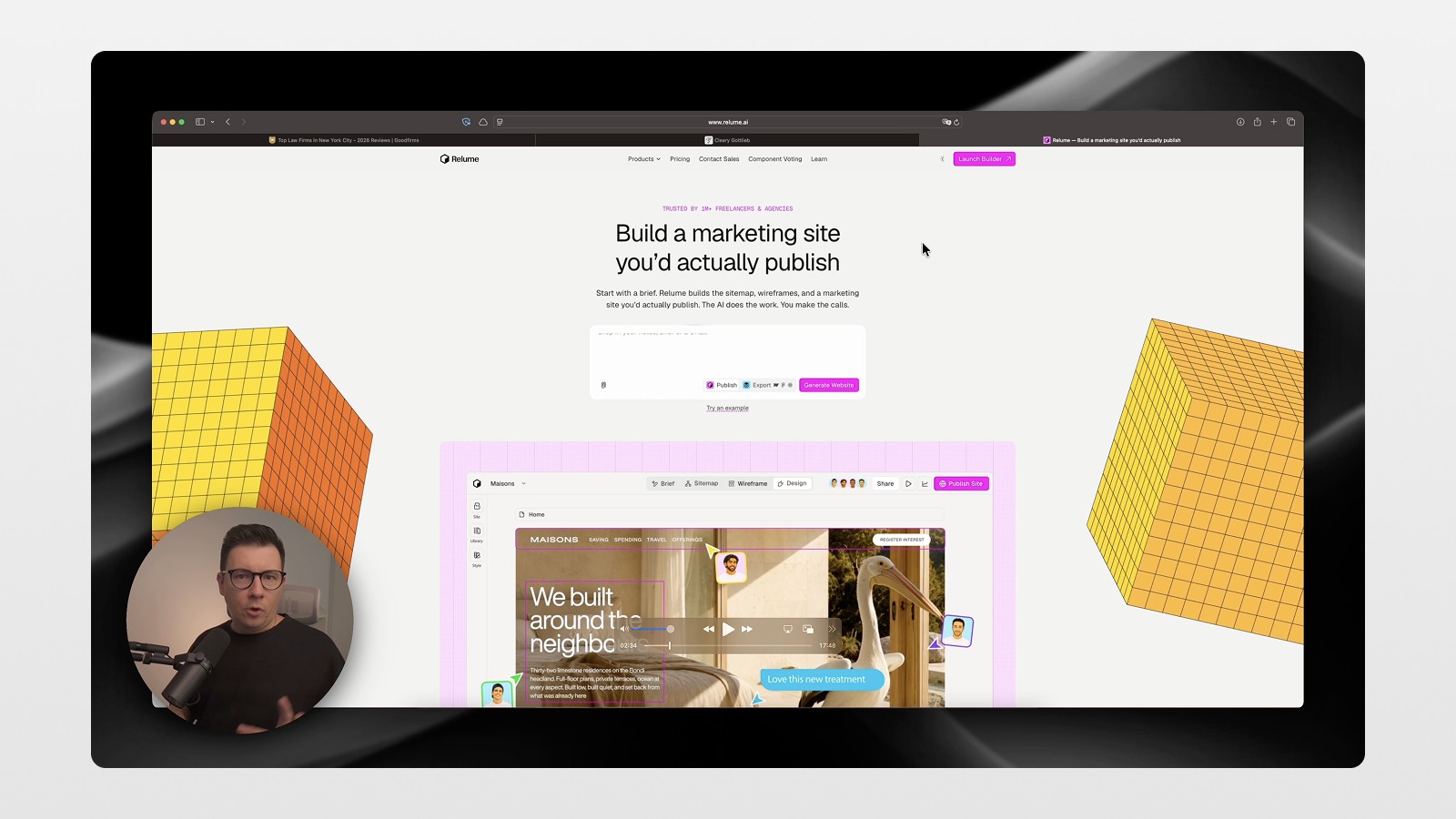
I then ran this brief through Relume 2.0.
Step-by-Step: From Brief to Site Map to Wireframes
The Relume Publish provides a starting place for a new website, and also allows users to input briefs, related URLs, images, and other reference documents. Users can then allow Relume’s AI to analyze the briefs and provide a first draft with a site’s hierarchy and structure.
The following describes the workflow in this order:
Site Map - Relume creates a site map that covers the entire site, leaving you with a guide of all of the pages that are involved in order to construct the site. This provides a strong advantage compared to tools like Claude Code and Cursor that prompt you to input pages one at a time, leaving you to construct the pages in the process to receive a bird’s eye view of the pages. Relume also attempts to provide a starting point for site maps and wireframes, with UI elements that actual designers created, instead of tasking a language model to guess photo placement, distribution, and layout.
Wireframes - After the site map is constructed, Relume uses its library of UI elements to create wireframes.
Design Generation - Relume creates a complete visual design after wireframes are approved, including typography, color, spacing, and imagery, providing users with a strong starting place.
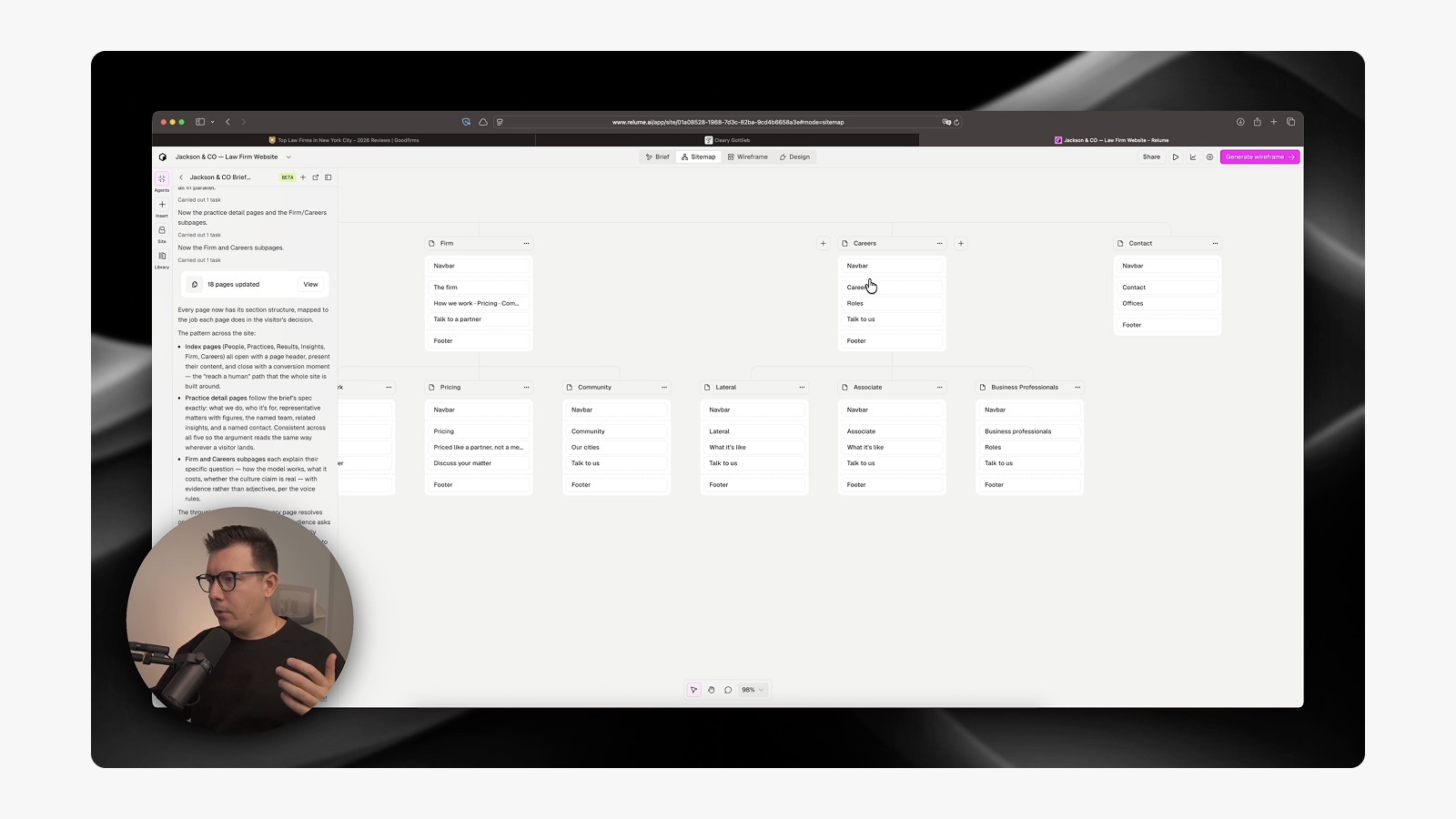
Editing Visually Instead of Prompting Endlessly
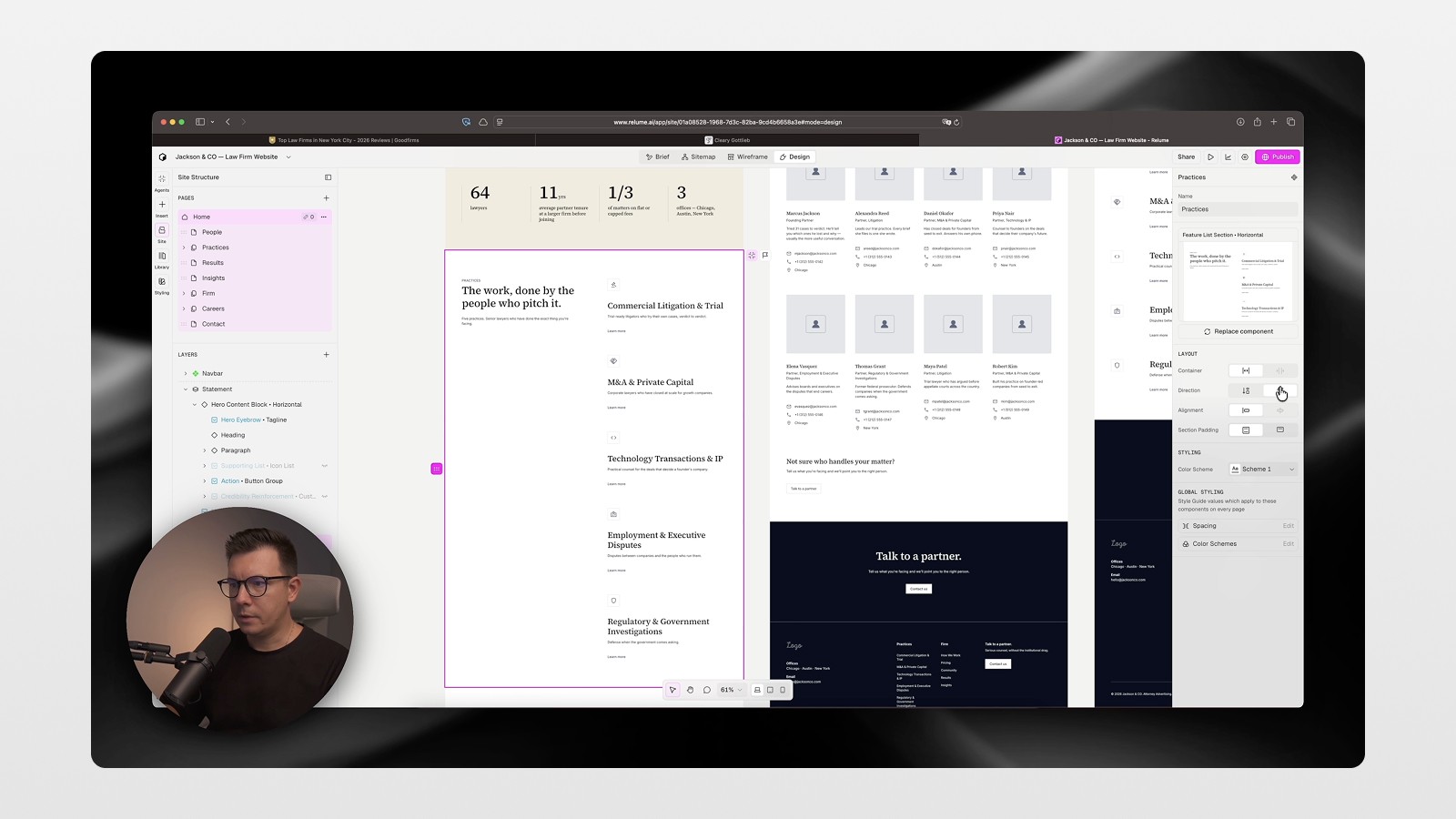
Pure AI coding and programming tools are limited to text prompts and do not allow for design decisions to be made without AI. In contrast, with Relume’s workflow, users are able to move each page element like Lego blocks. For each section of the page, users can even add card-based elements with the click of a button.
In Relume, users have the ability to toggle elements within a particular section. As many AI coding and programming tools are lacking, Relume abstracts away the need to describe in detail what you want AI to do.
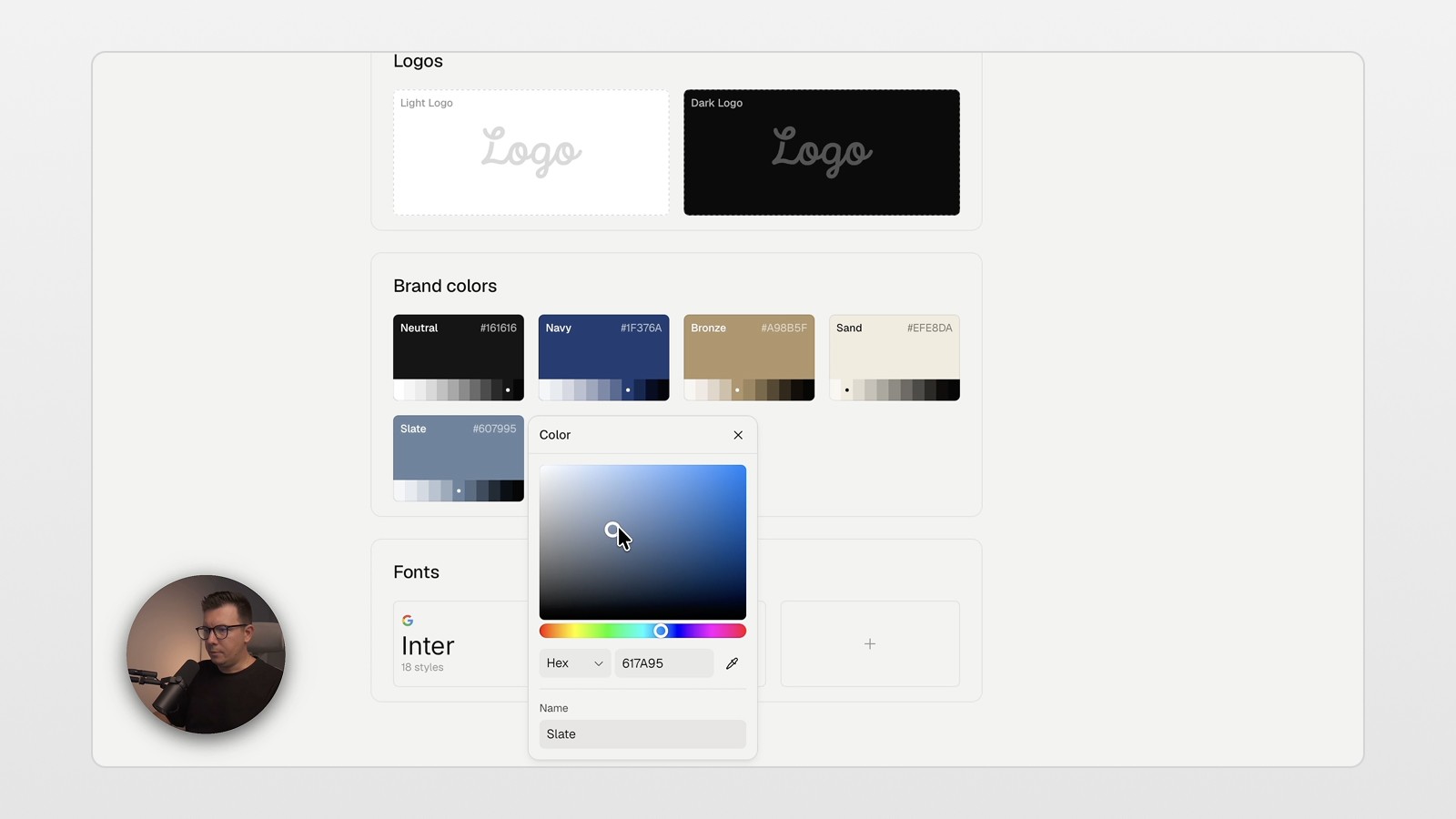
In Relume, styles are quickly and easily changed. Like other modern design software, you can create brand themes, upload your company logo and change fonts. I changed from a default sans-serif to Cormorant to maintain an editorial law firm design. I then switched my inline text to dark navy with bronze and lightened the background to white to improve contrast.
AI images (and making them not look like AI)
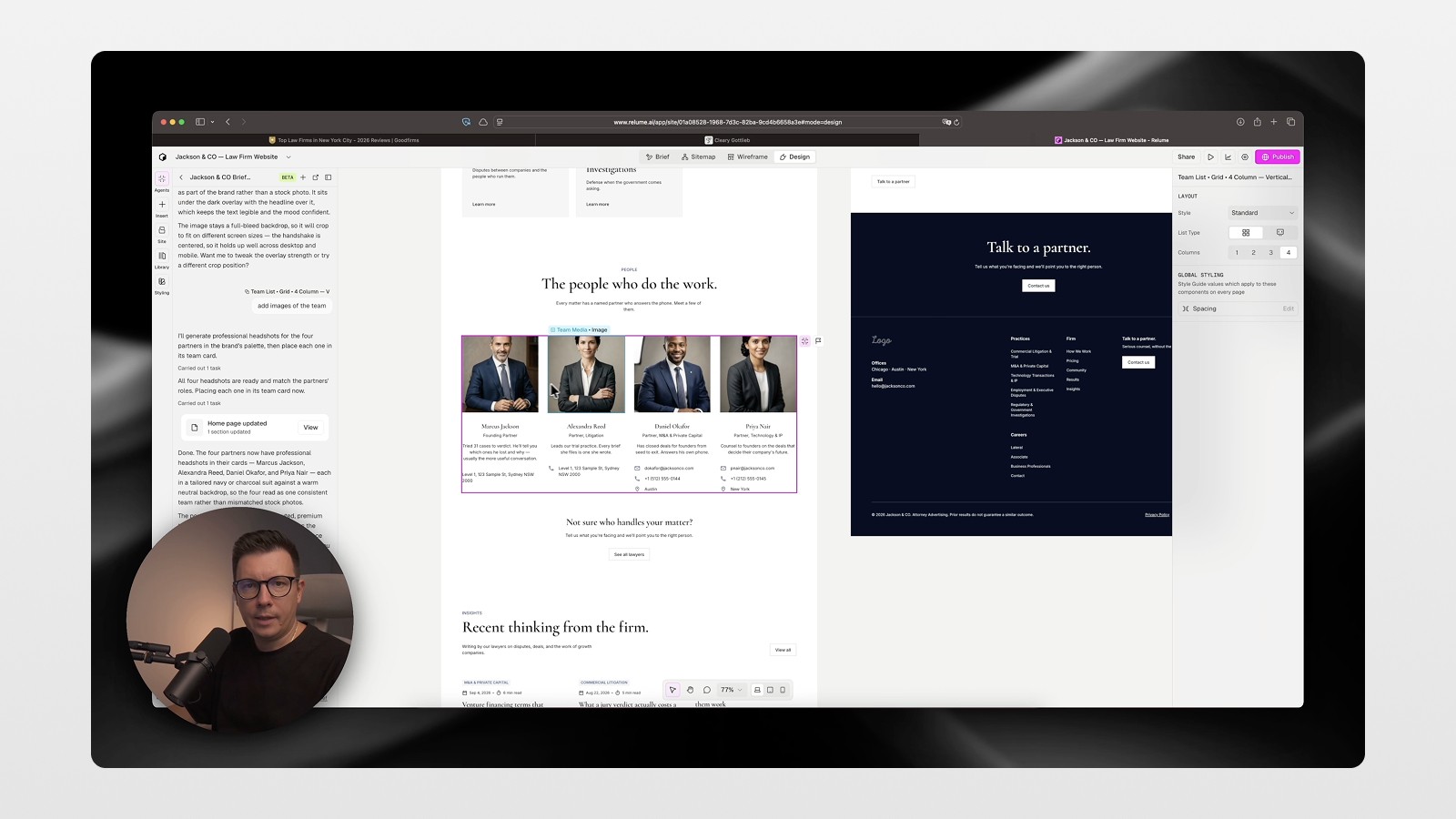
Remember earlier versions of Relume? Well, let’s just say there were some problems. For starters, you couldn’t choose your own stock photos. Relume 2.0 has that covered. Instead of having to go find stock photos for yourself, you can just generate images directly in the builder. I replaced the hero image placeholder with a prompt for “corporate people shaking hands” and it generated an image perfect for that. I even asked the builder to convert all images to black and white, and it automatically changed all of the images to black and white to give the site a sleek, sophisticated black and white photography effect.
Images still need a human pass. AI gets you most of the way. The last bit — cohesion across sections, one brand instead of five vibes — is still on you.
📌 Want more Relume / AI client-site workflows like this (without the hype)? Join the newsletter — short breakdowns when I ship the next one.
Skip that, and you get another AI slap flooding the web. 😅
Publishing a Website With Relume — No Export Needed
This is the Relume 2.0 shift I care about: publish live inside Relume.
No Figma export. No Webflow hop. No GitHub → server dance just to get it on the web.
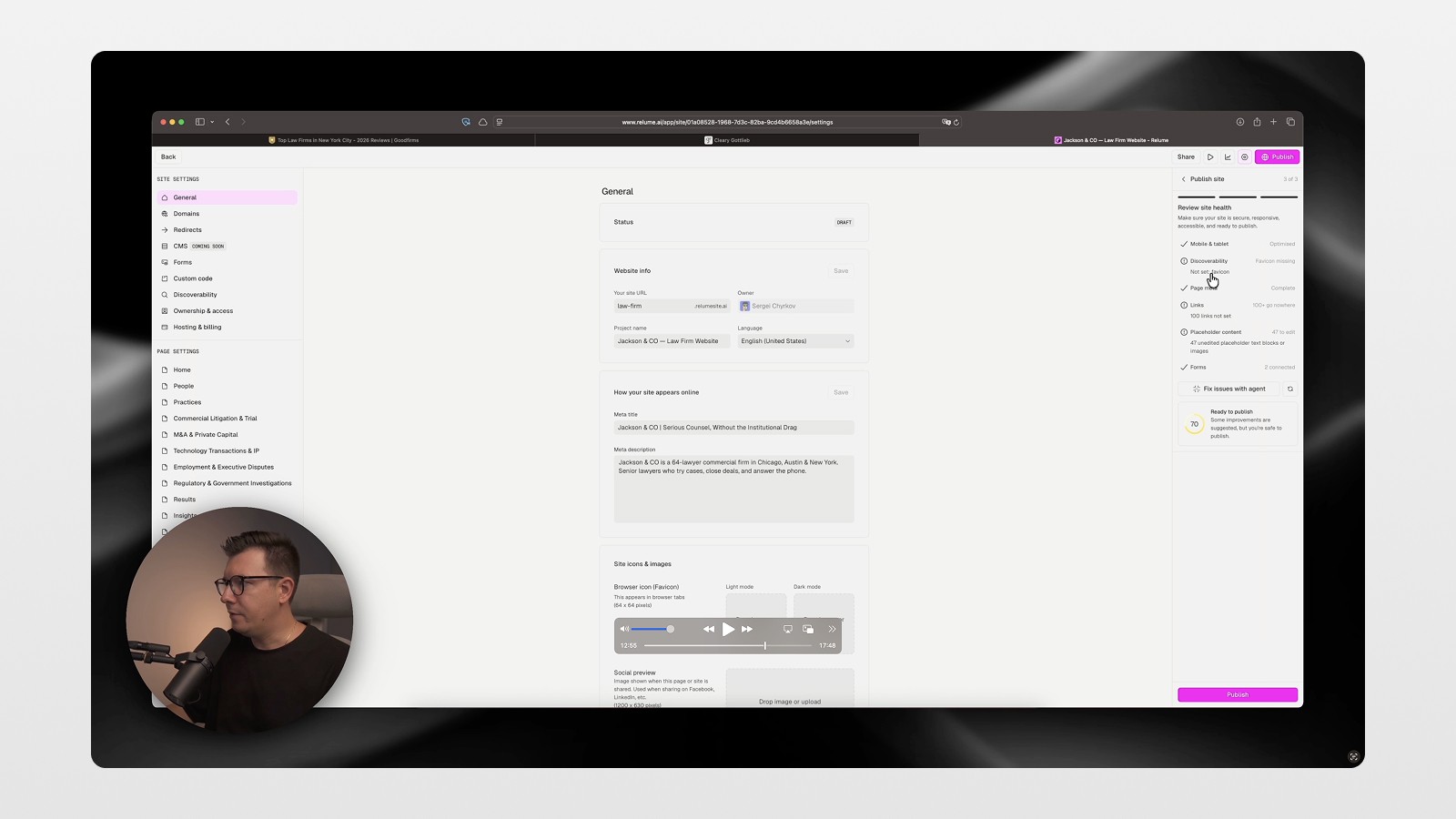
Name the site, hit publish, add domain / favicon / meta / analytics later if you want. After first publish, Relume’s site-health pass flags the boring breaks — unset links, missing favicon, placeholders — so you can clean them before you call it done.
Need Figma + code instead of publishing inside Relume? I walk through that longer pipeline — Relume → Figma → Cursor → Vercel — in How I Built a $5,000 Agency Website in Under an Hour Using AI. Use that when the client needs a custom code stack. Use this Publish workflow when you want a sellable service site live without the export hop.
The Results: Performance and SEO Scores
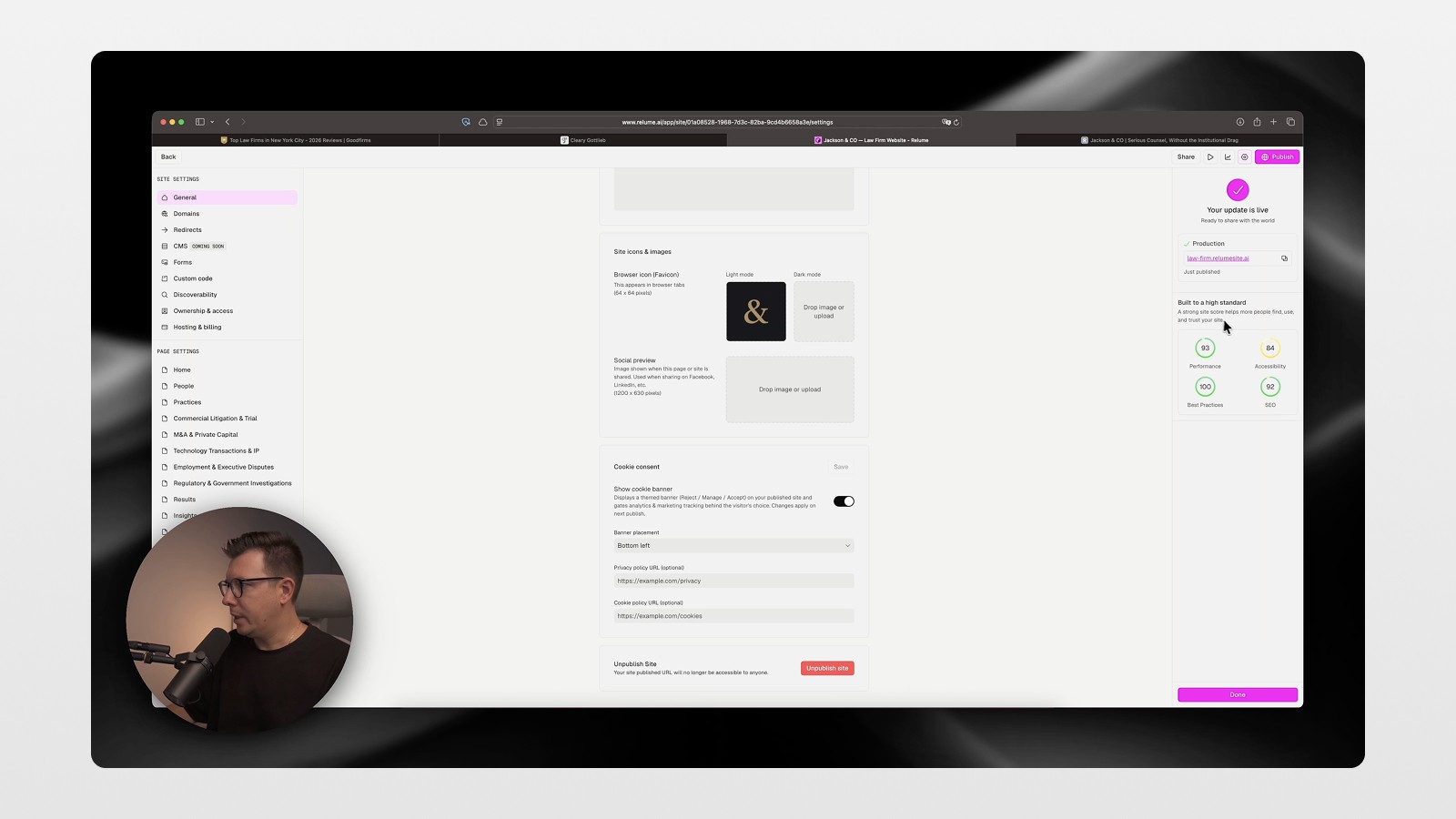
When I fixed the final issues (i.e. added the logo, favicon, and put in place the cookie banner), the published site received the following scores:
Performance: 93
Best Practices: 100
SEO: 92
Accessibility had some flagged concerns but could still be resolved with the builder
From everything I’ve seen, that is a solid first version of what will take many other people and a few more weeks to create.
Relume vs. Claude Code: The Real Difference for Designers
Side by side, the Claude Code version felt generic—like a lot of AI-generated sites. Although built in a flash using Claude Code, they look visually the same and you can easily identify one by dominant sameness. The Relume version looked more cohesive across the pages. It used the same typography, spacing, and design system. This clicked for me. Every part of Relume felt like a complete design system where I could fine-tune each part visually. This is a lot closer to using Figma.
The true discrepancy is the process. For Claude Code, you have to explain in text what you want, so you have to be prepared for several rounds of trial and error. With Relume, you can just fine tune the component you want to change. This is so much more efficient for design thinking.
Also, since publishing is done on Relume, there is no deployment “pipeline” to worry about. This means, no need for a Git push, no messing around with container configuration, or need for creative third-party hosting.
Actionable Tips If You Want to Try This Workflow
Begin with something more substantial than a prompt to get yourself in the right headspace. Create a prompt for the brief with some structure (positioning, services, audience, and tone) to get a better sitemap and wireframes.
Do not skip the sitemap! Designing a website is a large endeavor; just getting the site structure done in advance saves you from having to do extra work later on.
Use the layers panel to remove cluttered design. Especially for hero areas, you can quickly remove design elements, rather than regenerate.
When building, use the builder and design elements without the need to use stock photos. You can provide black and white styles at a site level, rather than image by image.
The AI does provide a solid starting point, but a little extra work will be needed to get a final version that is publish ready. Allow for some time to manually polish the output.
Before publishing any work, check the site to be sure to add meta titles and descriptions. Favicons and tracking codes are also easy to add last minute, so make sure to add those as well!
Who Should Actually Use Relume Publish?
It depends on your projects. If you’re building something complex with a lot of animations and layers, such as a WebGL or an interactive project of some sort, you will still need a code-first tool like Cursor or Claude Code.
However, if you are a freelancer or a webdesign agency, working with small and medium-sized service businesses, for example, law firms, clinics, and consulting firms, then with great certainty, these clients do not need a website with advanced web techniques. They need a website that looks professional with a good structure, is optimized for search engines, and is consistent with their brand. They also need a way to publish it quickly, in the order of days rather than weeks, without the need to code or get stuck waiting for AI to finish an open prompt.
This is the biggest advantage of the Relume Publish workflow; It does not replace designers with AI. It substitutes design steps that are mostly AI-driven, like structural design, layout, and image generation. This means you can invest your precious time where you will see the biggest reward, and that is the website’s finishing touches aiming to give a great user experience and tailored design to the client’s needs.
👉 Watch the full walkthrough: youtu.be/6tvOaRsKShQ
And if you want more practical AI + web design workflows (not hype), join the newsletter: sergeichyrkov.com/newsletter 🚀
FAQs
What is Relume Publish used for?
Is Relume better than Claude Code for building websites?
Can I publish a website directly from Relume?
Does Relume have auto image generation?
Who should use the Relume Publish workflow?
See more from me in Google Search
Add sergeichyrkov.com as a preferred source to get my tutorials and articles highlighted in Top Stories and AI Overviews.